
Your agents, in a tab
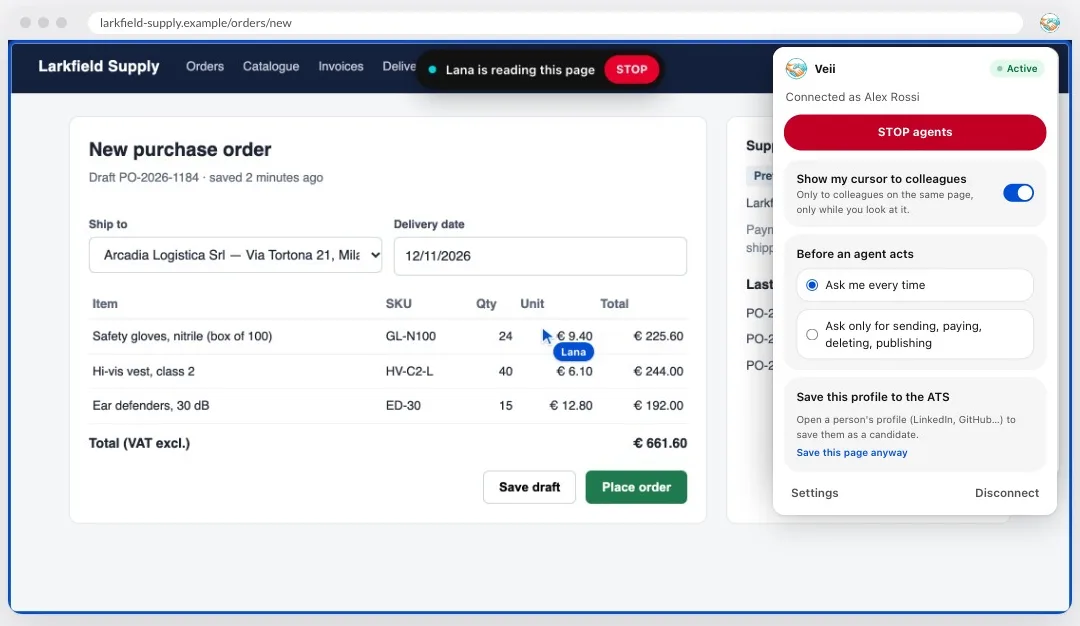
Ask Lana or an agent you own, in chat, to read a page or fill in a form. It works in a tab of its own, or the one you point it at, with your logins: inside a blue frame, with its own cursor and a STOP button.
Chrome extension
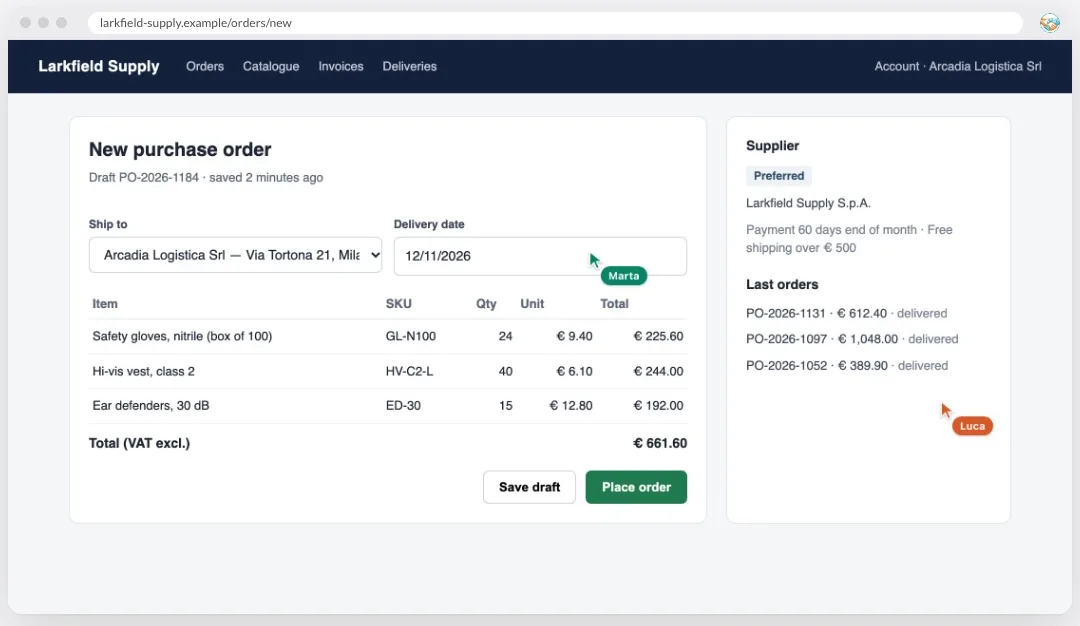
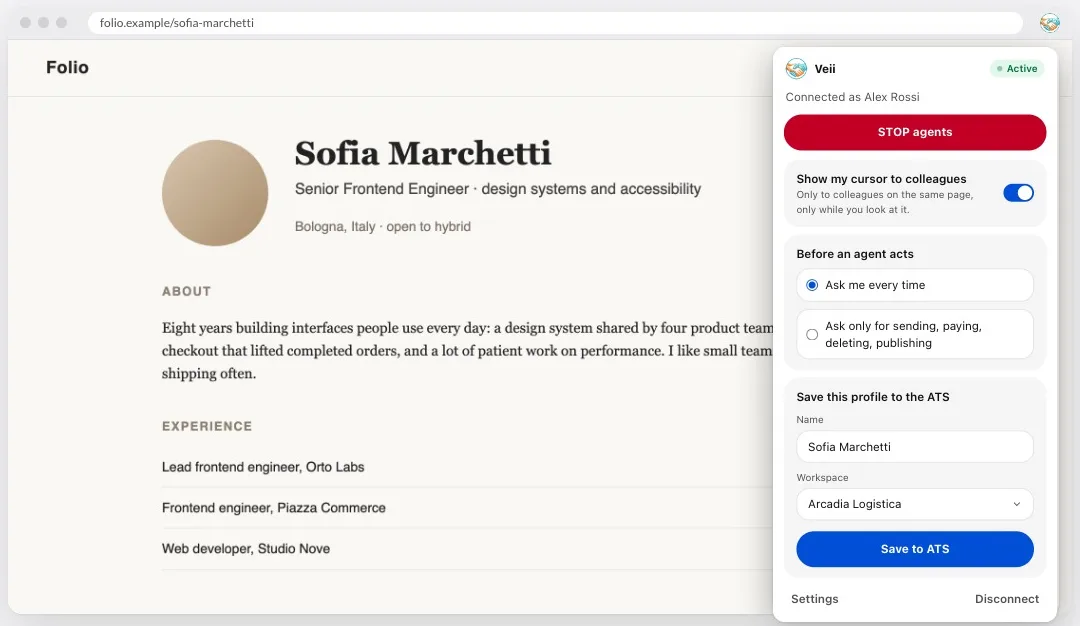
Ask Lana to fill in an order on a supplier’s site, see where a colleague is pointing on the same page, save a profile to your ATS in one click. Everything happens where you can see it, and STOP is always one click away.
Free · needs a VEII account · Chrome on a computer
What it looks like
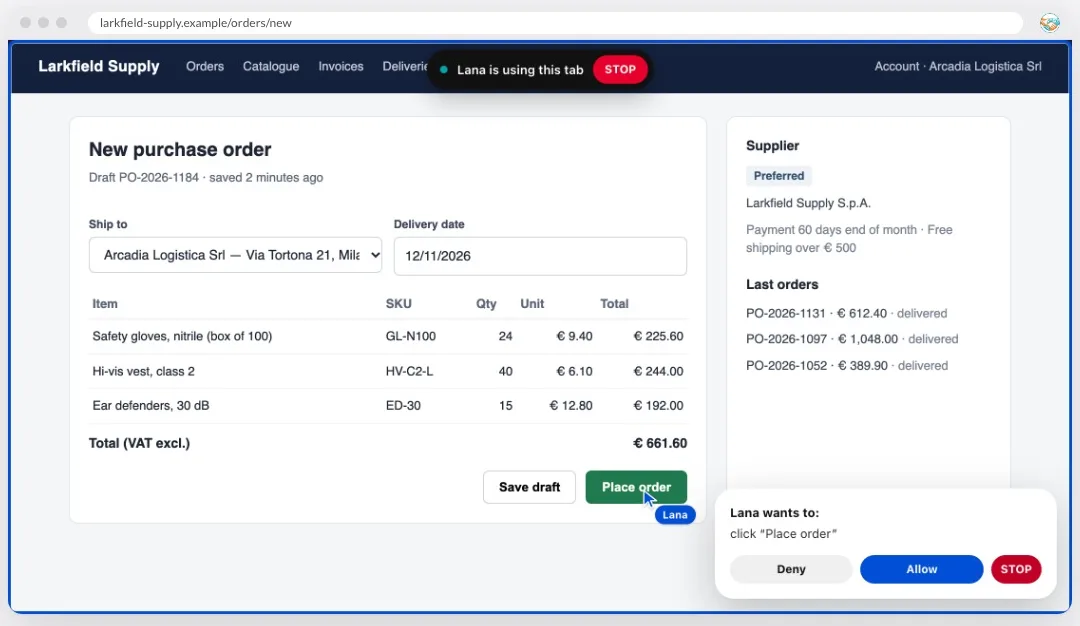
Agents — Lana fills in the order with your logins and asks before anything that matters.
What it does
Ask Lana or an agent you own, in chat, to read a page or fill in a form. It works in a tab of its own, or the one you point it at, with your logins: inside a blue frame, with its own cursor and a STOP button.
When two people from the same company open the same page, each sees the other’s pointer with their name. Only while the tab is in front; one switch turns it off.
On a LinkedIn profile or anyone’s personal page, save the person as a candidate in your VEII ATS in one click, then find them in the pipeline.
You stay in control
Every click and every keystroke waits for your Allow.
Routine steps run on their own; sending, paying, deleting, publishing and submitting a form still wait for you.
It never types into password, card or file fields. Those stay yours.
On the page, in the extension, and Chrome’s own debugging bar: its Cancel ends the agent too.
Agents use your browser when you ask in a conversation. Background tasks never do: they work for the company, not for the person at the keyboard.
Before you connect your account it sends nothing. All its code is in the package: nothing is loaded from the web.
Permissions
Chrome shows a long list when you install it. This is what each item is for.
Privacy detailsHow it works
From the Chrome Web Store, like any extension. Pin it to the toolbar to keep STOP close.
In VEII: Settings → Integrations → Chrome extension → Connect. Each browser is its own link, removable on its own.
Tell Lana “fill in this order on the supplier’s site”, or open a profile and save it to the ATS.
Yes. The extension is free, and so is a VEII account.
No. It is the browser half of your workspace: until an account is connected it does nothing.
Only when you ask in a chat, and in Ask mode every step waits for you. In Auto mode sending, paying, deleting and publishing still wait. STOP ends everything at once.
Your pointer’s position, only for colleagues on the same page and only while the tab is in front. A page’s text, only when you ask an agent to work on it. Nothing else.
Chrome on a computer. Other browsers that install from the Chrome Web Store may work, but Chrome is the one we test. It does not run on phones.
Press Disconnect in the extension, or remove the browser in Settings → Integrations. Uninstalling it from Chrome also deletes what it kept on your computer.