
Research, one tab at a time
Maps, websites, registers, professional profiles: working out who decides at a single company takes half an hour.
B2B prospecting
Describe who you sell to. Hunter finds the companies on a map, reads their websites and public registers, finds who decides and how to reach them, and tells you where each piece of information came from. You approve the first message.
The problem
Salespeople spend more time searching than talking to people. And when they finally find a contact, they can’t tell how far to trust it.
Maps, websites, registers, professional profiles: working out who decides at a single company takes half an hour.
A bought list is old on arrival: people who changed jobs, addresses that bounce.
A “verified” email says nothing about where or when it was found. You can’t tell how much to trust it until it bounces.
Reminders slip, and emailing someone who already replied is the one mistake you can’t undo.
The result
Hours spent searching instead of selling, and messages reaching the wrong people.
What it does
Hunter reads the sources when you ask, keeps what it found and where, and keeps it up to date over time.
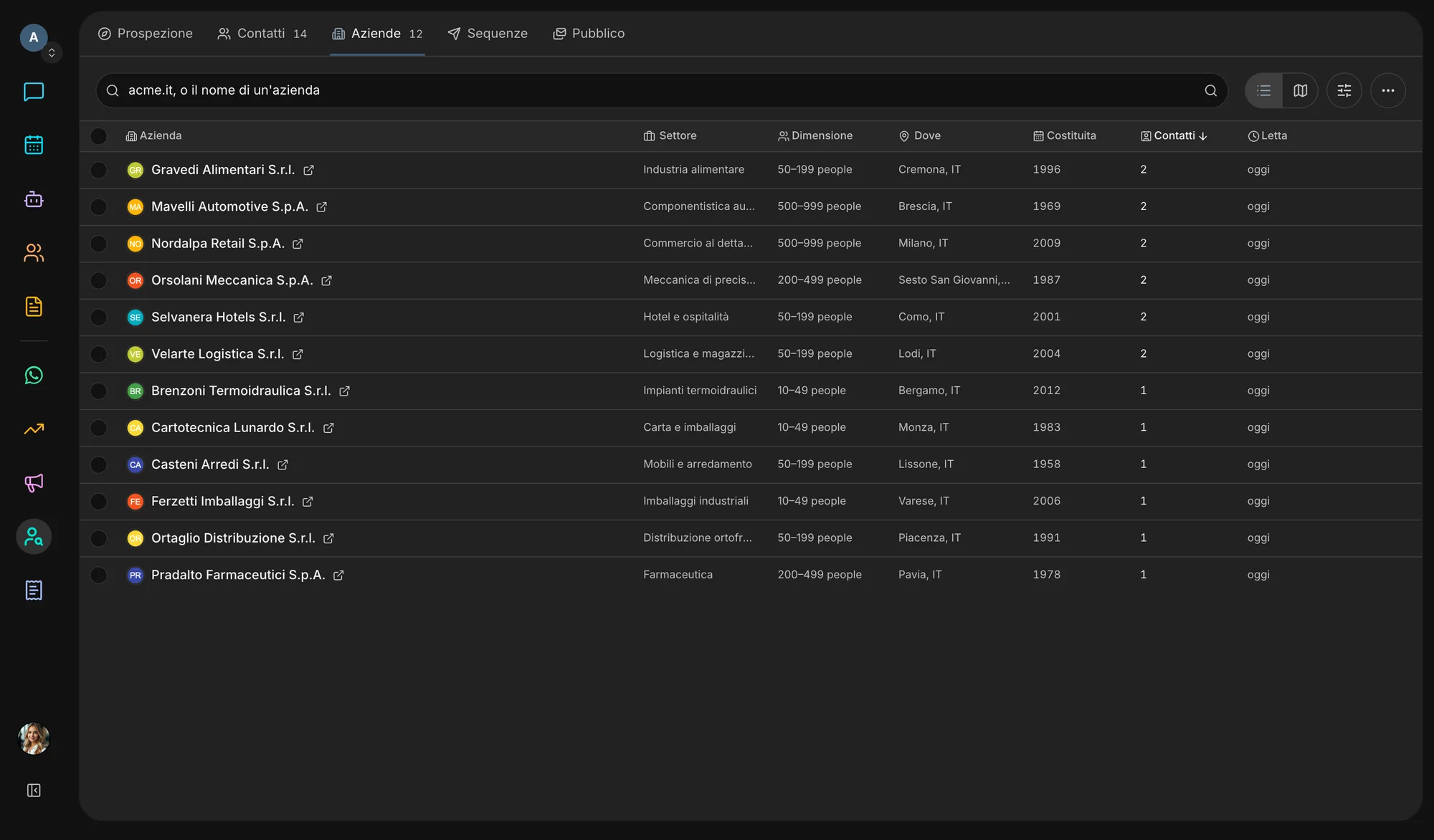
Type a trade and a place: Hunter maps the companies it finds on OpenStreetMap, Wikidata, the web, and the Facebook and Instagram pages of businesses with no website. Public bodies and professional associations sink to the bottom, with the reason written beside them.
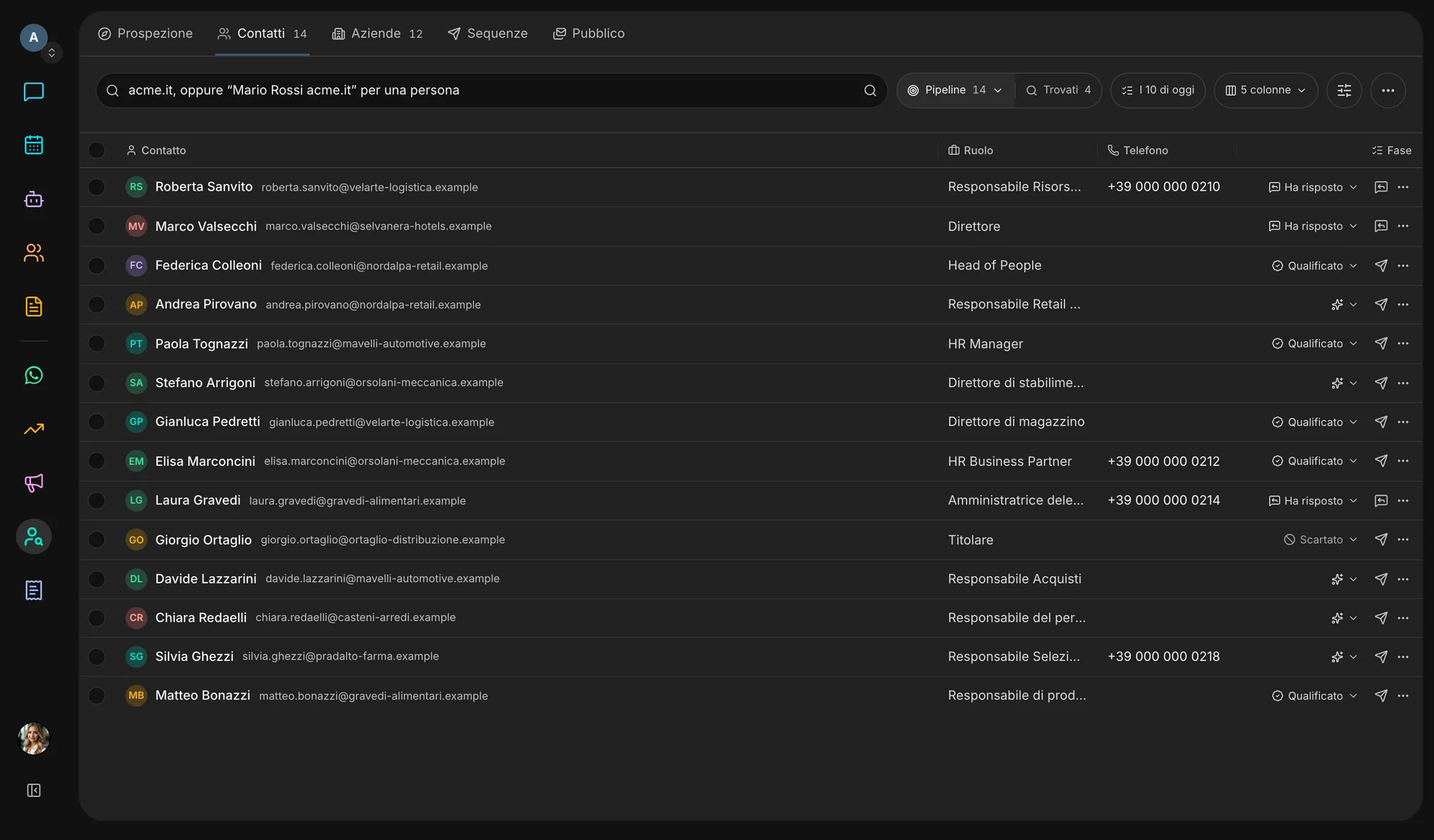
Contacts read from the company’s own site, names and roles from public professional profiles, the most likely address with the basis it rests on. What was seen and what was inferred never get mixed up.
Sector, size, the technologies its site runs, open positions, register data and the legal name from VIES. Plus a free question, like “do they sell abroad?”, answered with the sentence on their site that says so.
A position opened, a technology added, a tender won, a press mention, a person moving company. A saved search re-runs every week and reports only the companies that are new.
The VEII Score, from 0 to 100, weighs fit with your ideal customer, intent signals, reachability, data quality and freshness, and seniority. Every point has its reason, and each day you get the ten contacts to start with.
The first email is written in your brand’s voice and leaves from your own mailbox once you approve it. Sequences stop at the first reply; in Audience you run double opt-in lists and campaigns.
Inside the app
How it works
The trade and the area, or your ideal customer profile: dentists in Bologna, hotels on the coast.
Hunter reads sites and registers: contacts, people, profile and score arrive while you work.
From Found, move the best people at each company into your Pipeline. Whatever nobody picks up clears itself out after a few weeks.
Approve the draft and it leaves from your mailbox, or enrol the contact in a sequence.
Whoever replies becomes a customer: “Convert to customer” opens the opportunity in Sales.
Ecosystem
Hunter stops where the deal begins: from there the contact moves to the other apps with everything Hunter knew, and nothing is typed twice.
Switch it on or off in Settings → Apps. Switching it off hides and stops it, nothing is deleted: turn it back on and it is exactly as you left it.
Start freeQuestions
From where a company, or the state, has published it: the company’s own website, public registers such as VIES, open maps such as OpenStreetMap, public tenders, job postings and public professional profiles indexed by search engines. Every fact links to its source and carries an evidence grade; third-party archives, where present, stay dated, unverified claims. No breach data, people-search sites or personal social accounts: the Trust page spells it all out.
There is no “verified” in Hunter, because no free check can prove a mailbox exists. Every address says whether it was seen on a page or derived from the company’s format; a check of syntax, certified mail, disposable providers and the mail server grades it plausible, risky or invalid, and is repeated over time. A bounce marks it invalid.
No. The first message is a draft you approve, and a sequence starts as a draft that sends nothing until you activate it. Emails leave from the mailbox you connect, never from ours, always with an unsubscribe link. A sequence stops at the first reply, and if replies can’t be checked nothing is sent. Italian certified mail (PEC) addresses are never contacted.
Yes, with no account needed, through the form on our data deletion page. The request applies at once to every workspace: the data is purged and only a one-way fingerprint is kept so it can’t be collected again. Whoever contacts a person is the controller of that processing, and Hunter gives them the tools to honour that person’s rights.
Today Hunter is included in every Veii workspace. You switch it on and off in Settings → Apps: switching it off hides it and stops saved searches and sequences, but deletes nothing, and switching it back on brings everything back as it was.
Create your workspace, describe who you sell to and watch the companies appear on the map, each with its sources.