
Versions that multiply
report_v3_final, report_v3_final_OK: every change makes a new file and the history is gone.
Team documents
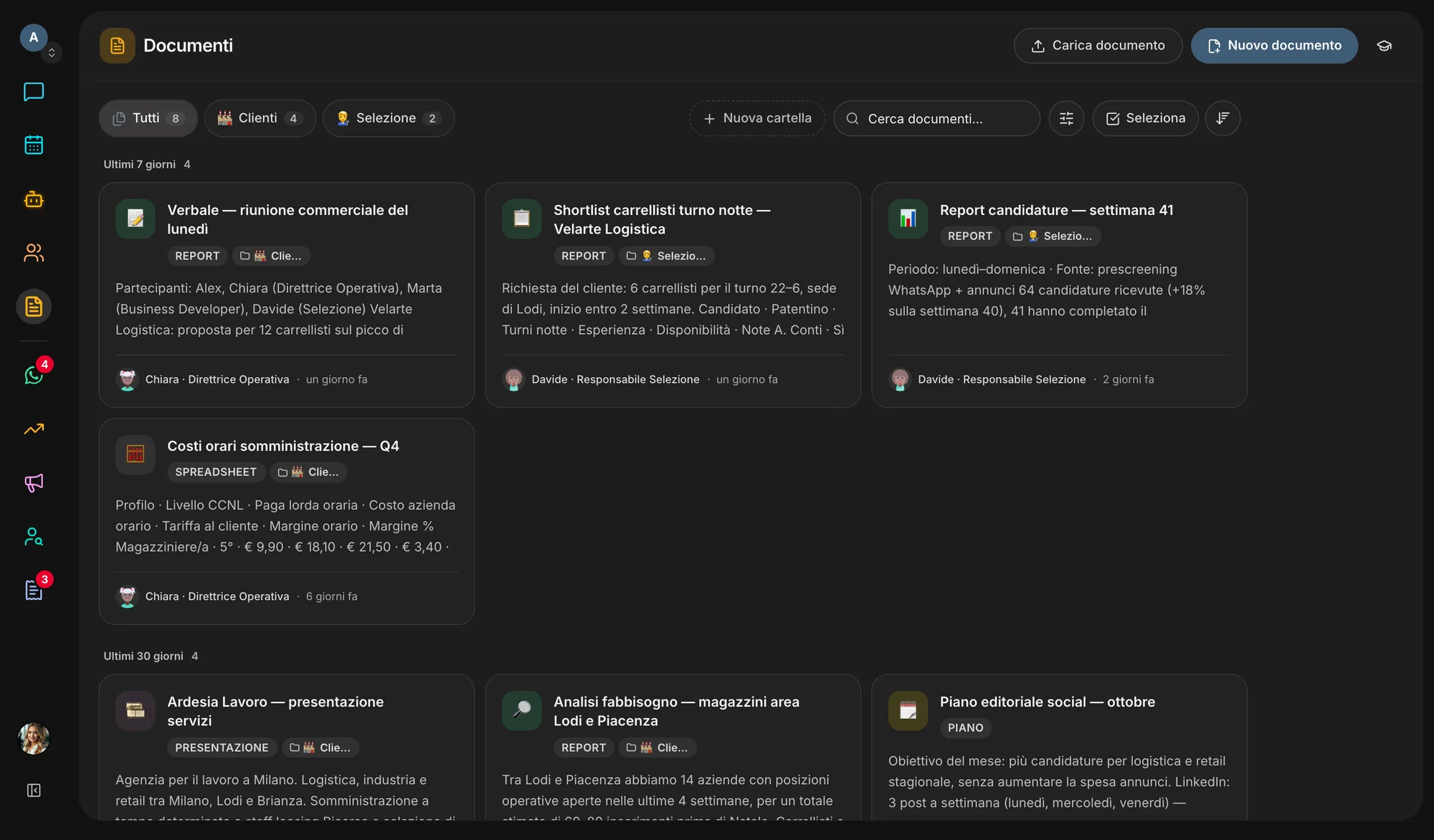
When an agent finishes a report or a deck, the file lands in Documents. Read it there, edit it together in real time, comment line by line and send it to whoever needs it — even outside the workspace.
The problem
When AI starts producing documents the problem multiplies: they come out in a chat, get copied elsewhere and nobody knows which version is the right one.
report_v3_final, report_v3_final_OK: every change makes a new file and the history is gone.
Comments arrive in separate messages, far from the passage they are about.
An assistant rewrites the whole text and erases the corrections a person had just made.
Sending a document to a client means an export, an attachment and yet another app.
The result
Time spent finding, copying and reconciling instead of deciding.
What it does
Documents holds what your team writes, what the agents deliver and the files you upload, under one access rule for all of them.
Two people in the same document see each other’s changes as they type. If an agent updates the text meanwhile, changes that don’t overlap are merged; where they do, the agent re-reads instead of overwriting.
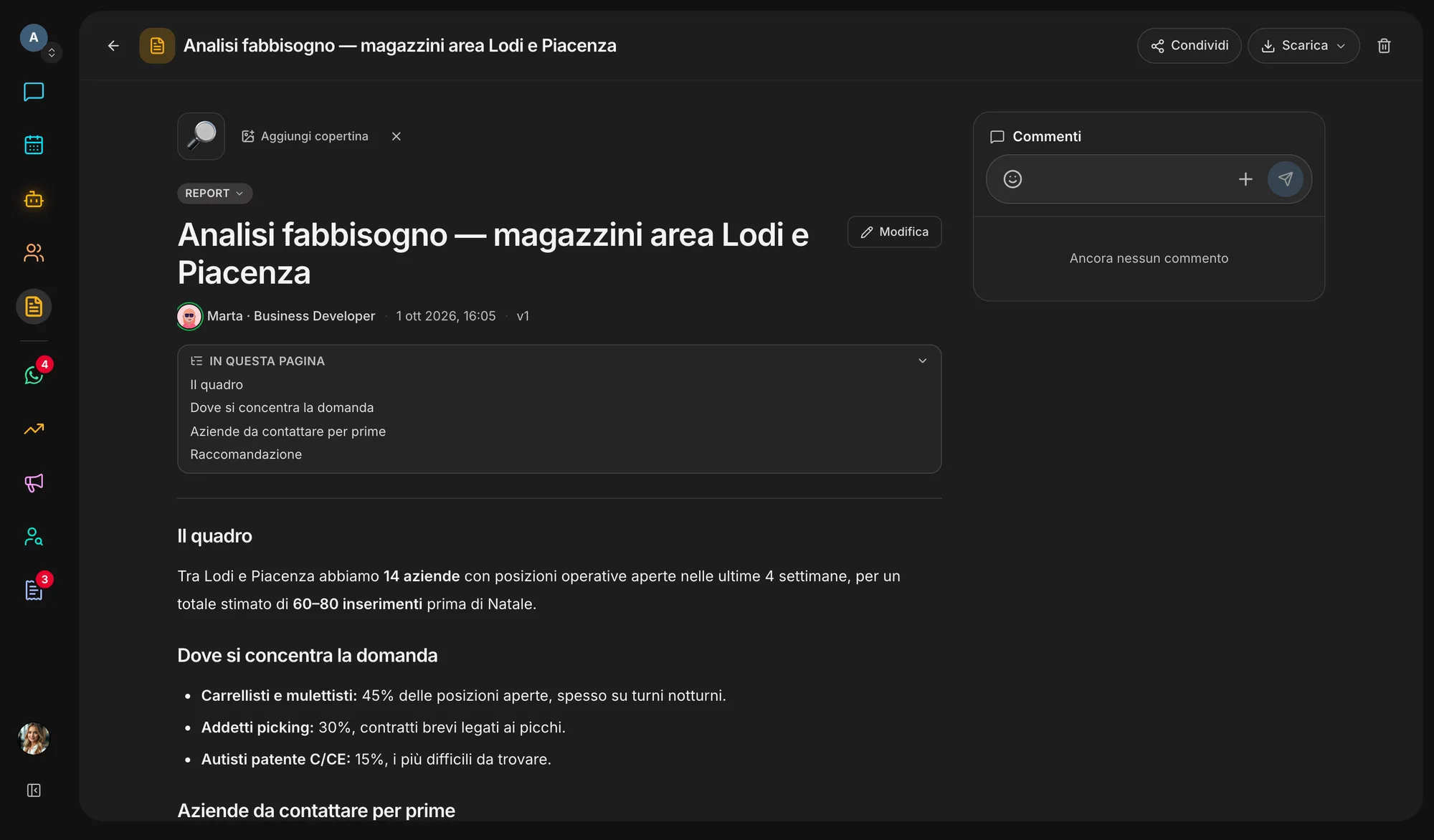
Select a sentence or a slide and comment right there. Mention a colleague, reply, react with an emoji — the author is notified.
Agents create PowerPoint decks in your brand’s colours, reports, Excel sheets and web pages. Reports download as a PDF with your Brand Kit’s colours, fonts and logo, or as an editable Word file.
PDF, Word, PowerPoint, Excel, CSV and text: open them in preview, and agents can search them by meaning, down to the page of a PDF.
Every saved edit is a version. The history shows what changed and restores the one you need.
Invite colleagues, Veii users or any email address as viewer, commenter or editor. Or create a read-only link that opens without an account.
Inside the app
Try it now
How it works
Upload the documents your team already uses: they become context the agents can look up.
Every agent deliverable is filed here, linked to the task that produced it.
Open it, edit it in real time and leave comments where they are needed.
Download the PDF or Word file, share a link, or have an agent attach the document to an email.
Ecosystem
Documents is where the other apps’ work becomes something to read, review and send. That is why every starting workspace setup includes it.
Switch it on or off in Settings → Apps. Switching it off hides and stops it, nothing is deleted: turn it back on and it is exactly as you left it.
Start freeQuestions
Workspace members, according to their role. You can add people to a single document — colleagues, Veii users or any email — as viewers, commenters or editors, never above your own role. “Anyone with the link” is read-only; listing a document on the company’s public page is the owner’s or an admin’s call.
The agent starts from the text it read. Changes that don’t touch the same lines are merged; if yours overlap, its write is refused and the agent has to re-read the document. Your corrections are not erased.
PDF, Word, PowerPoint, Excel, CSV and text, up to 20 MB each and 50 uploaded files per workspace. Documents written by agents don’t count toward the limit.
Yes. Reports download as a PDF laid out with your Brand Kit’s colours, fonts and logo, or as an editable Word file; agent decks are PowerPoint files; uploaded files stay downloadable in their original format.
Today Documents is included in every Veii workspace. You switch it on and off in Settings → Apps: off, it leaves the navigation, but no document is deleted.
Create the workspace: every document your team or agents write lands here, ready to review and share.