
One app per network
The same content has to be adapted and uploaded by hand to Instagram, Facebook, LinkedIn and YouTube, one platform at a time.
Marketing and content
Prepare a post once, choose where and when, and Social publishes it on time. Agents write in your brand voice, read the numbers and tell you what worked.
The problem
Every network has its own editor, formats and rules. The content plan lives in a spreadsheet, the numbers in another app.
The same content has to be adapted and uploaded by hand to Instagram, Facebook, LinkedIn and YouTube, one platform at a time.
The wrong aspect ratio, a story without an image, a reel without a video: the post fails right when it was due.
Without a shared calendar the rhythm breaks on the first busy week, and nobody knows what is already scheduled.
Followers, engagement and best times sit in different dashboards: knowing what worked means a report built by hand.
The result
Fewer posts, published whenever, with no idea which ones bring results.
What it does
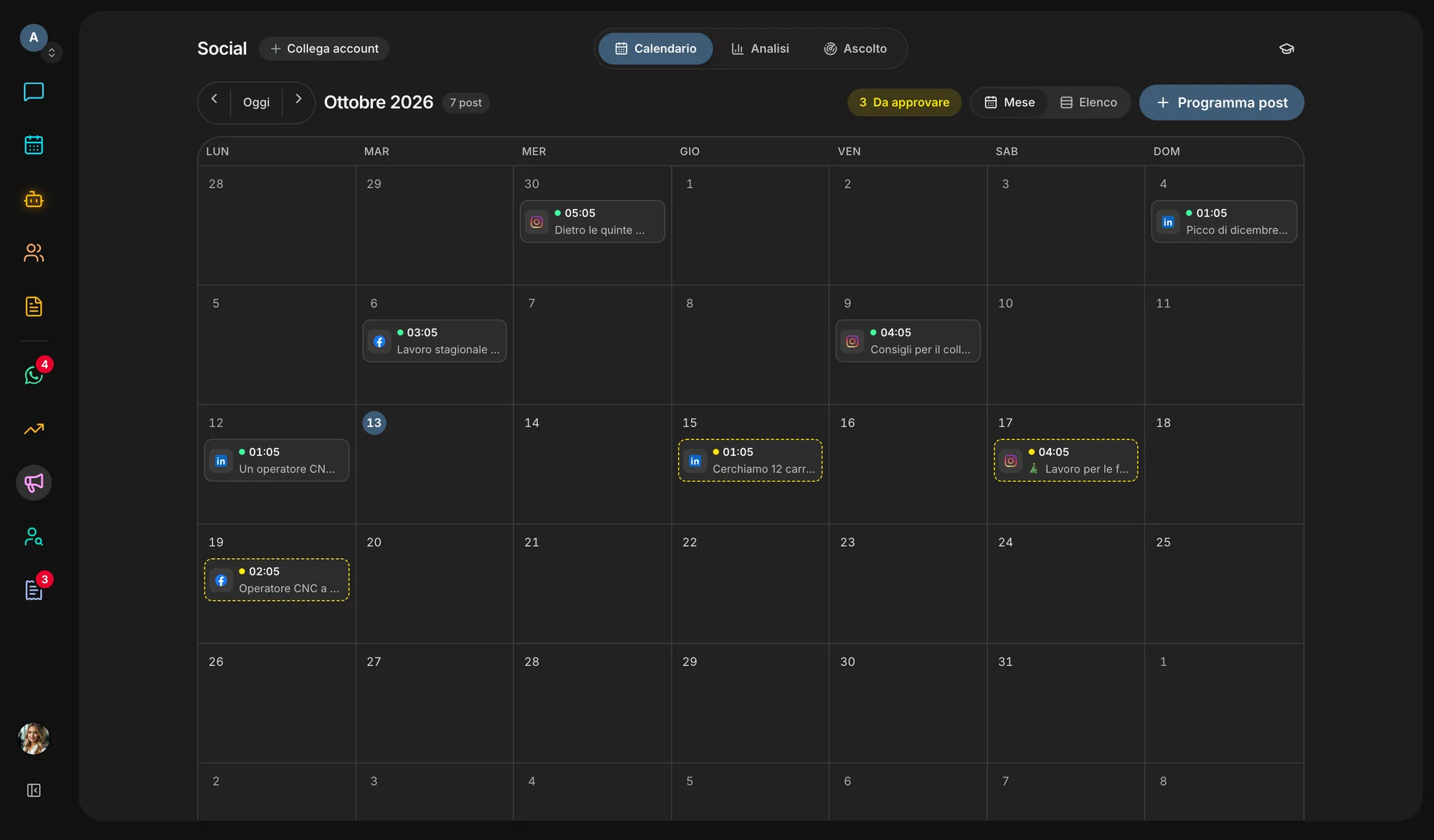
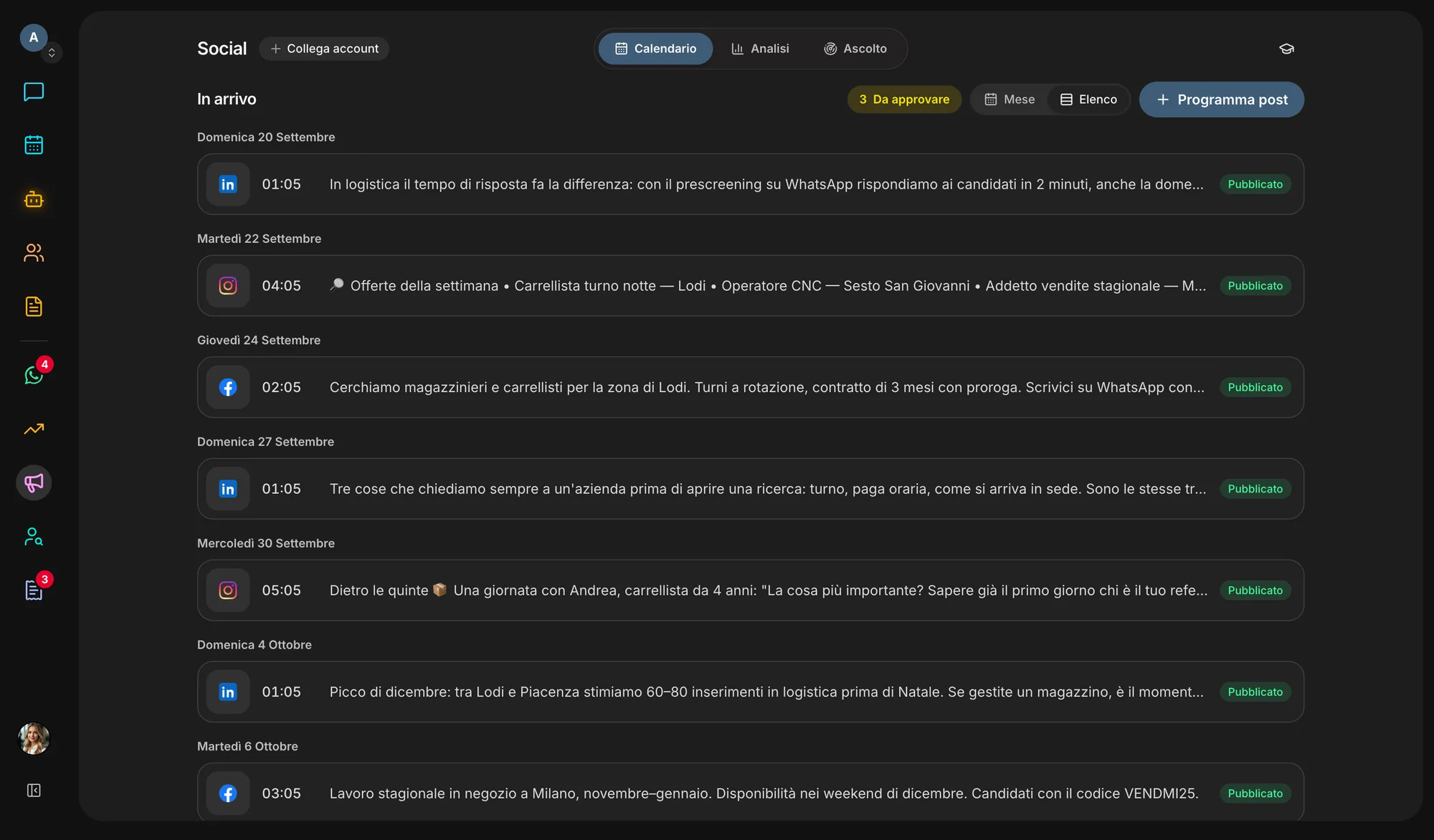
One composer for five networks, one calendar for the whole team and the analytics next to the posts.
Facebook, Instagram, LinkedIn Pages and YouTube: pick the networks and the same post goes out on all of them, at the set time or right now. On TikTok the video arrives as a draft for the creator to publish from the app.
Up to 10 images in a carousel, cropping to the right shape for each format, a first comment for the hashtags; on YouTube, title, visibility and Shorts.
“Write with AI” starts from a couple of lines and drafts the text from the company’s Brand Kit; you read and edit it before scheduling.
Month or list view, drag a post to another day to move it, and scheduled posts also show up in the workspace Calendar next to everything else.
Followers, engagement and top posts for Facebook, Instagram and YouTube (with each video’s views), with the days and times of day your audience responds to most, worked out from your own posts.
What people say about your brand in public conversations online: overall tone, recurring themes and every mention linked to its source.
Inside the app
How it works
Facebook Page, Instagram, LinkedIn Page, YouTube channel and TikTok all connect in Settings → Integrations.
Write it yourself or let AI draft it, add photos or video and pick the format.
Networks, day and time: the post goes out on its own at the set time.
See what worked and when it’s best to post next.
Ecosystem
Posts come from the same agents and data as the rest of the workspace, and their calendar sits next to everything else.
Switch it on or off in Settings → Apps. Switching it off hides and stops it, nothing is deleted: turn it back on and it is exactly as you left it.
Start freeQuestions
Today it is included in every Veii workspace and switched on or off in Settings → Apps. Switching it off hides the section and stops publishing without deleting anything; when you switch it back on, posts that fell due meanwhile don’t go out in a burst: you find them in the calendar to reschedule.
No, by design: TikTok requires the creator to confirm every post. The video lands as a draft in the TikTok inbox, with a suggested caption to paste, and you publish it from the app — where you can also add music.
No, with company Pages where you are an administrator or content admin. You pick the Page in Settings, as with Facebook.
For Facebook, Instagram and YouTube: followers or subscribers, engagement, top posts and videos, best times; views too on YouTube. Some figures, such as reach, depend on the permissions Meta grants the account: when they are missing, Social tells you instead of showing zero.
A Facebook Page, an Instagram professional account, a LinkedIn Page, a YouTube channel and a TikTok account: connect only the ones you use.
Not if you don’t want it to: switch on “Posts written by agents need approval” in Settings → Integrations → Social. From then on every agent’s post waits as “To approve” in the calendar until an editor approves it; reject it and it is cancelled, never published.
Create your workspace, connect your accounts and let an agent prepare the first week of posts. You review them before they are scheduled.