
Budget on orders already covered
Ads stay sponsored even when the pipeline already holds enough candidates or placements.
For staffing agencies
Spending a million a year on Indeed and the like? Part of it pays for ads on orders already filled. Bidwise reads your ATS pipeline every day, stops spend where the need is covered and moves it to the orders that still need candidates.
~10,000
placements a year run on this method
~30%
less spent on job boards
The problem
Staffing agencies run job orders and priorities that change daily. The pipeline moves; the spend follows static rules or manual tweaks.
Ads stay sponsored even when the pipeline already holds enough candidates or placements.
Budget does not move on its own to the hard, urgent or strategic orders.
Recruiters open, close and reprioritise ads by jumping between several systems.
The ATS knows the orders, the job boards know the spend. The operational link between them is missing.
The result
Wasted spend, inconsistent priorities and fewer placements per euro invested.
What it does
For each order and channel, Bidwise weighs conversions, remaining need and priority. Branches and managers stay in charge of urgencies and exceptions.
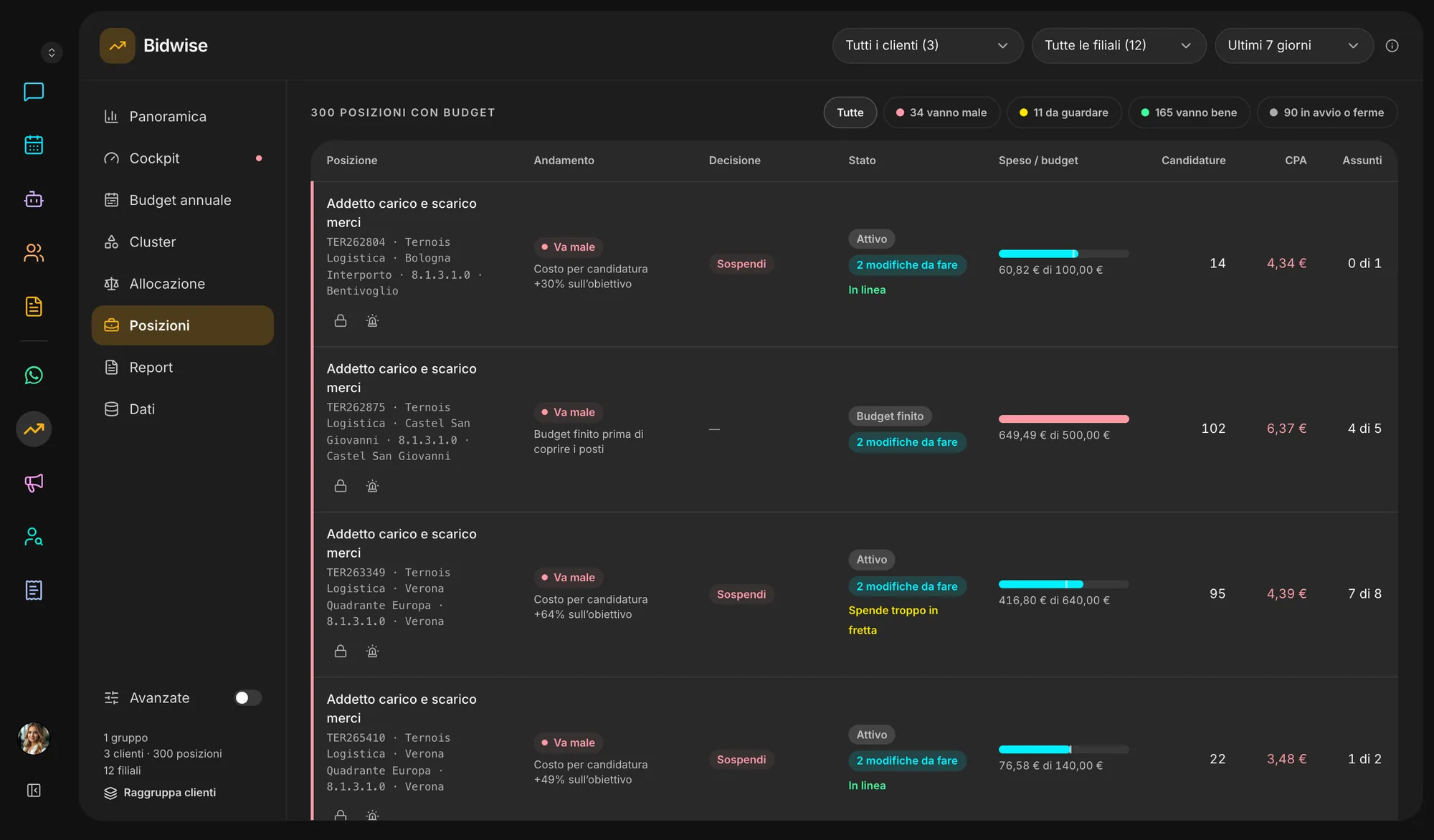
The pipeline holds enough candidates or placements: extra spend stops, under the rules you agreed.
The order is heading to target: budget holds steady while Bidwise keeps watching conversions.
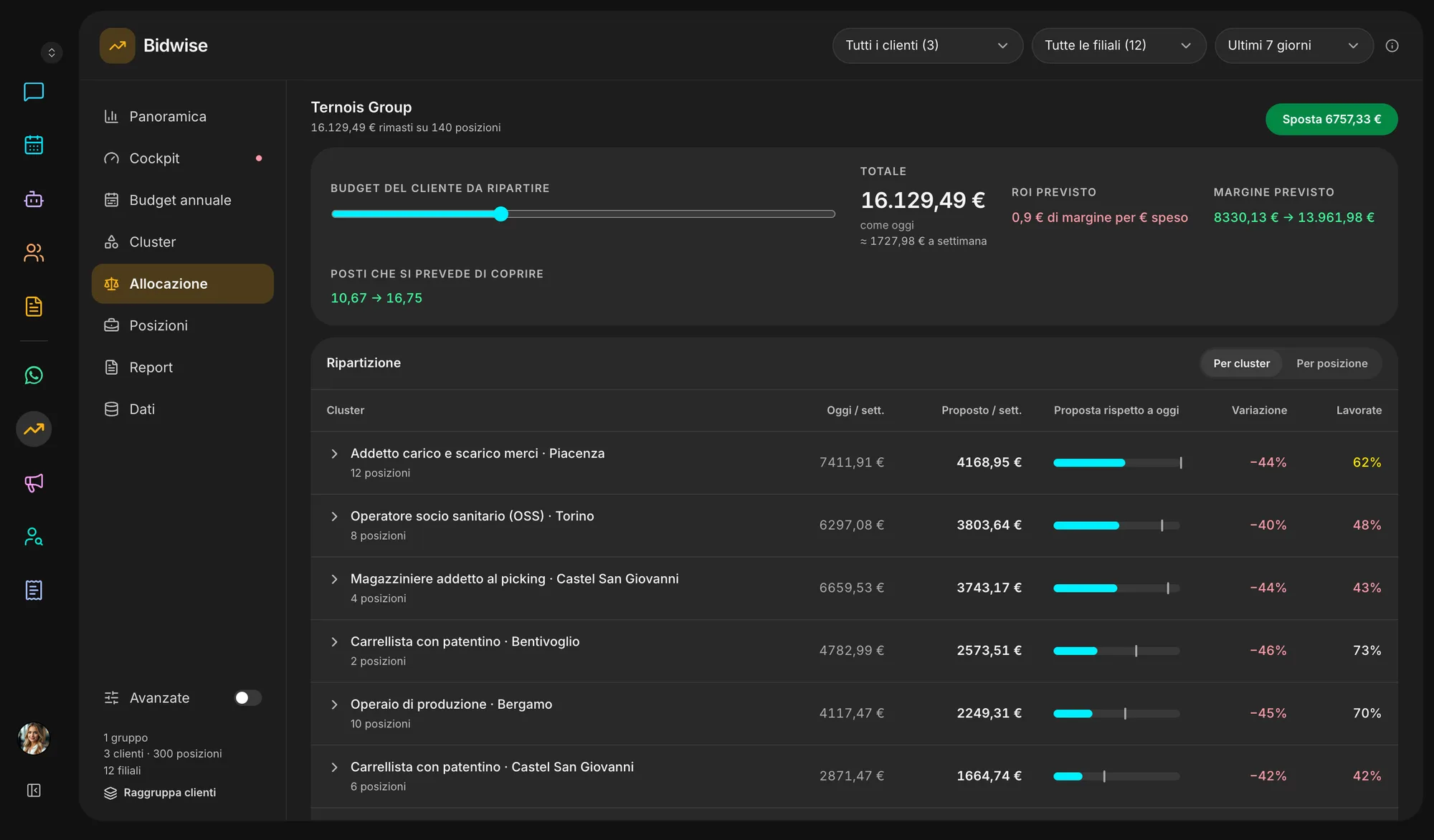
Not enough applications, or the order is urgent: investment goes up, within the caps you set.
A client’s remaining money moves from covered orders to the ones where it fills more seats — never into another client’s budget.
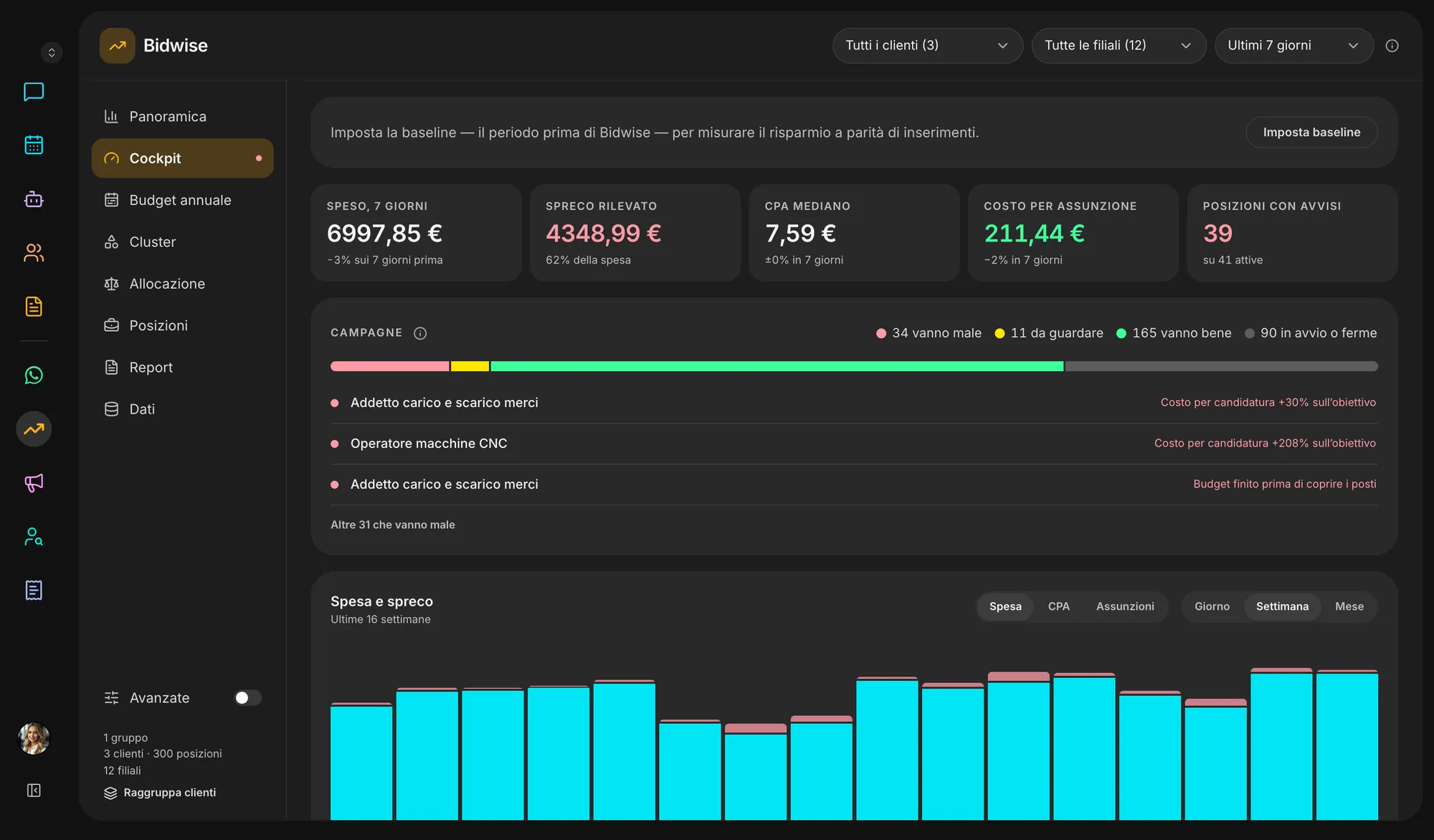
An ad that brings no applicants, candidates stuck for days, a saturated order: the alert lands in your notifications with the action to take.
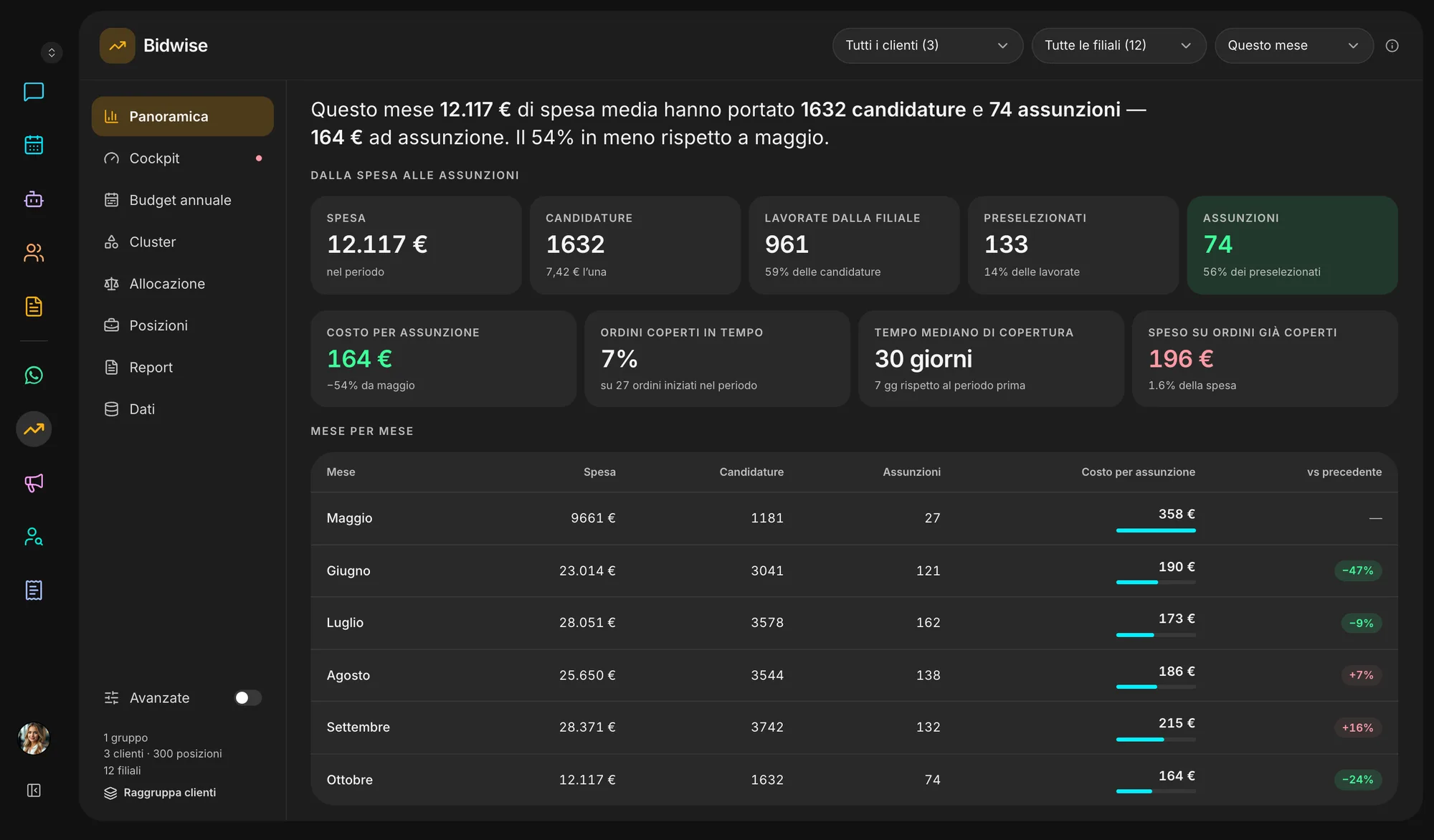
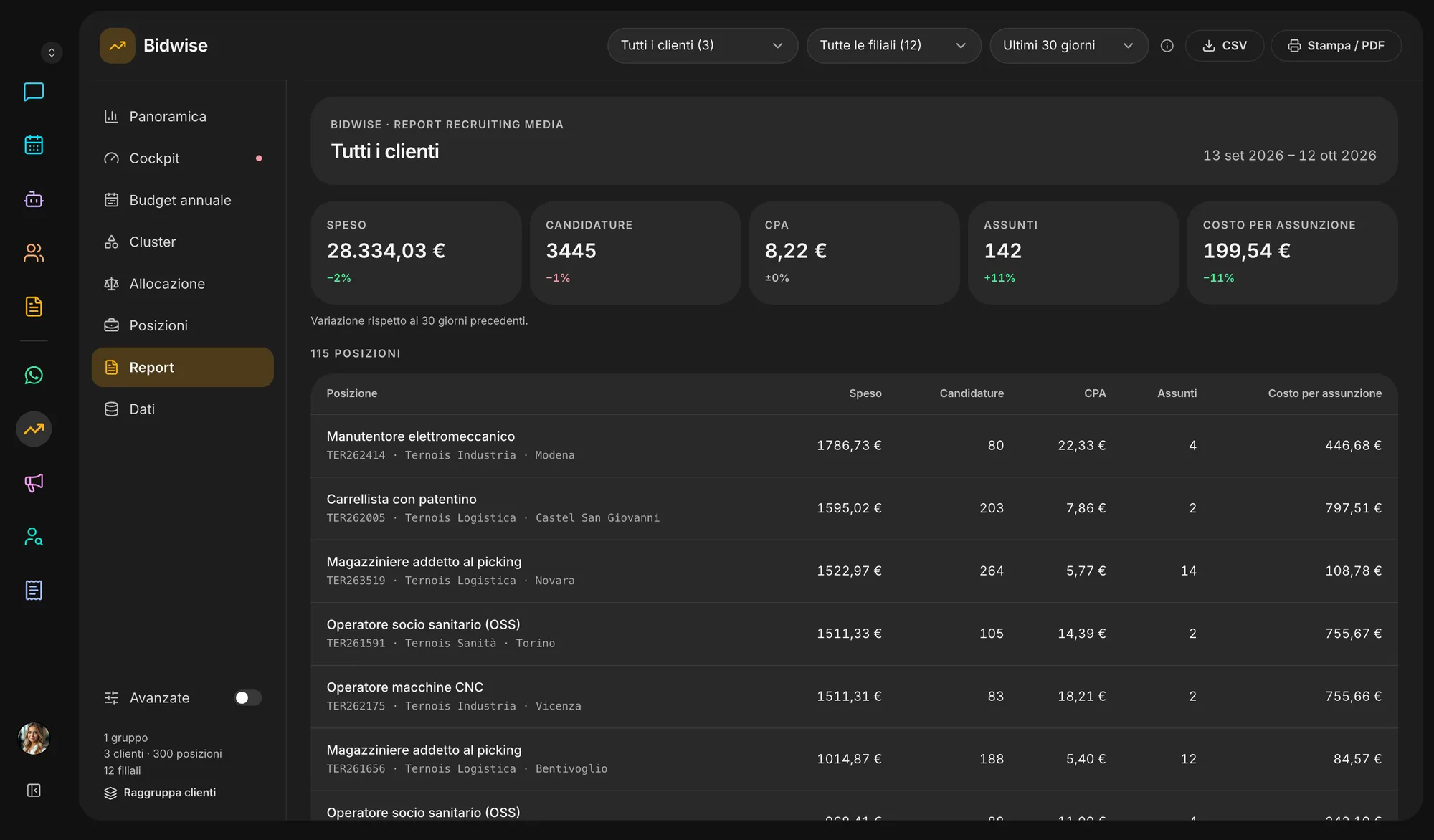
Cockpit, clusters by job family and data health: the metric is what a placement costs, with its trend over time.
Inside the app
How it works
ATS data, job board spend and operating processes: we start from what you have.
Targets, thresholds, priorities, spend caps and exceptions, per client and territory.
Orders, applications and spend flow into Bidwise: Indeed export, CSV or integration.
Every day each order’s budget is updated on the real state of its pipeline.
Spend, conversions and placements in one view, with the savings already recovered.
Ecosystem
Positions, applications and outcomes already live in the other workspace apps: Bidwise reads them instead of asking you twice.
Illustrative simulator
Set your yearly spend and the assumed improvement: see how much budget comes back for the same number of placements.
Estimated yearly saving
€300,000
Per month
€25,000
Yearly spend with Bidwise
€700,000
Questions
Bidwise decides, order by order and channel by channel, whether to pause, keep or raise, and tells you the value to set. Job boards keep their bidding APIs for approved partners: you apply the change and “Apply” records what is set, or the link is built on your architecture.
Job orders (positions, seats, client, city), applications with their source, and spend per channel. In Veii the first two are already there if you use Prescreening; spend comes from the Indeed export, a CSV or by hand.
No. Allocation only moves the same client’s remaining money, from covered orders to the ones that need it. Each client’s total stays the same.
Branches and managers. An order can be held out of allocation, marked as a priority or as an always-on talent pool; every alert can be applied or snoozed.
By cost per placement, before and after, next to total spend. The cockpit also shows how much the applied alerts have already recovered.
The initial diagnosis checks current spend and allocation, data availability and quality, funnel thresholds and the estimated benefit — before any implementation.