
Starting from zero every time
Context, decisions and preferences have to be explained again in every conversation. Nothing stays with the company.
AI agent team
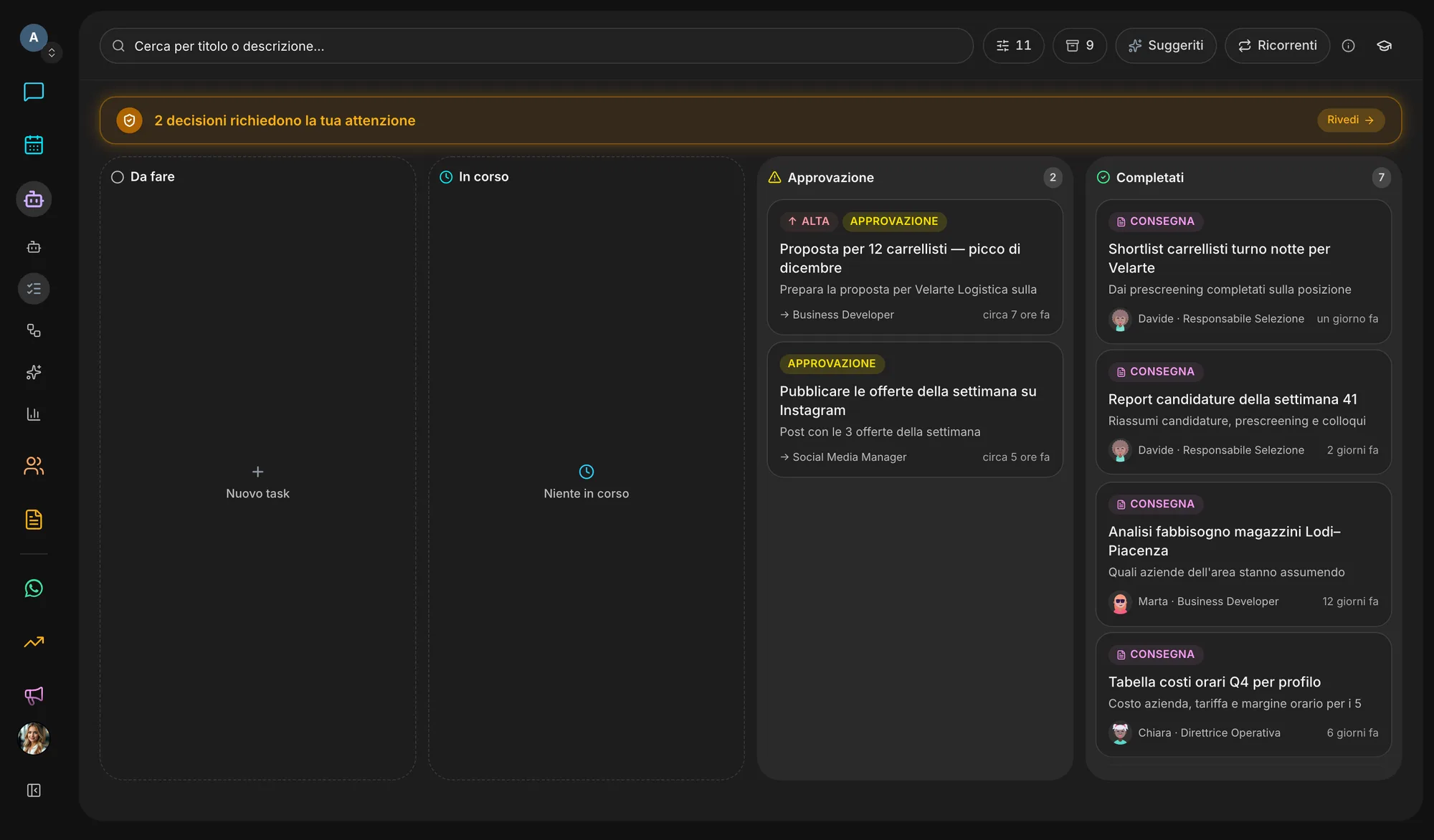
Give an agent a task the way you would give it to a colleague. It plans the work, brings in the right teammates, files the result in Documents and stops to ask you when the decision is yours. Every step stays visible, from request to deliverable.
The problem
AI assistants answer one question at a time. Everything around the answer — splitting the work, remembering, repeating, delivering — stays on your plate.
Context, decisions and preferences have to be explained again in every conversation. Nothing stays with the company.
An answer in a chat has no owner, no status and no deadline. If you don’t chase it, it’s gone.
The Monday report, the competitor check, the follow-ups: every week someone has to remember and start again.
Giving an AI access to email, clients and documents is a worry when you can’t see what it will do or when it will stop.
The result
More time coordinating the AI than receiving finished work.
What it does
Each agent has a role, its own skills and a memory shared with the rest of the team. Work moves across a task board you can read at any moment.
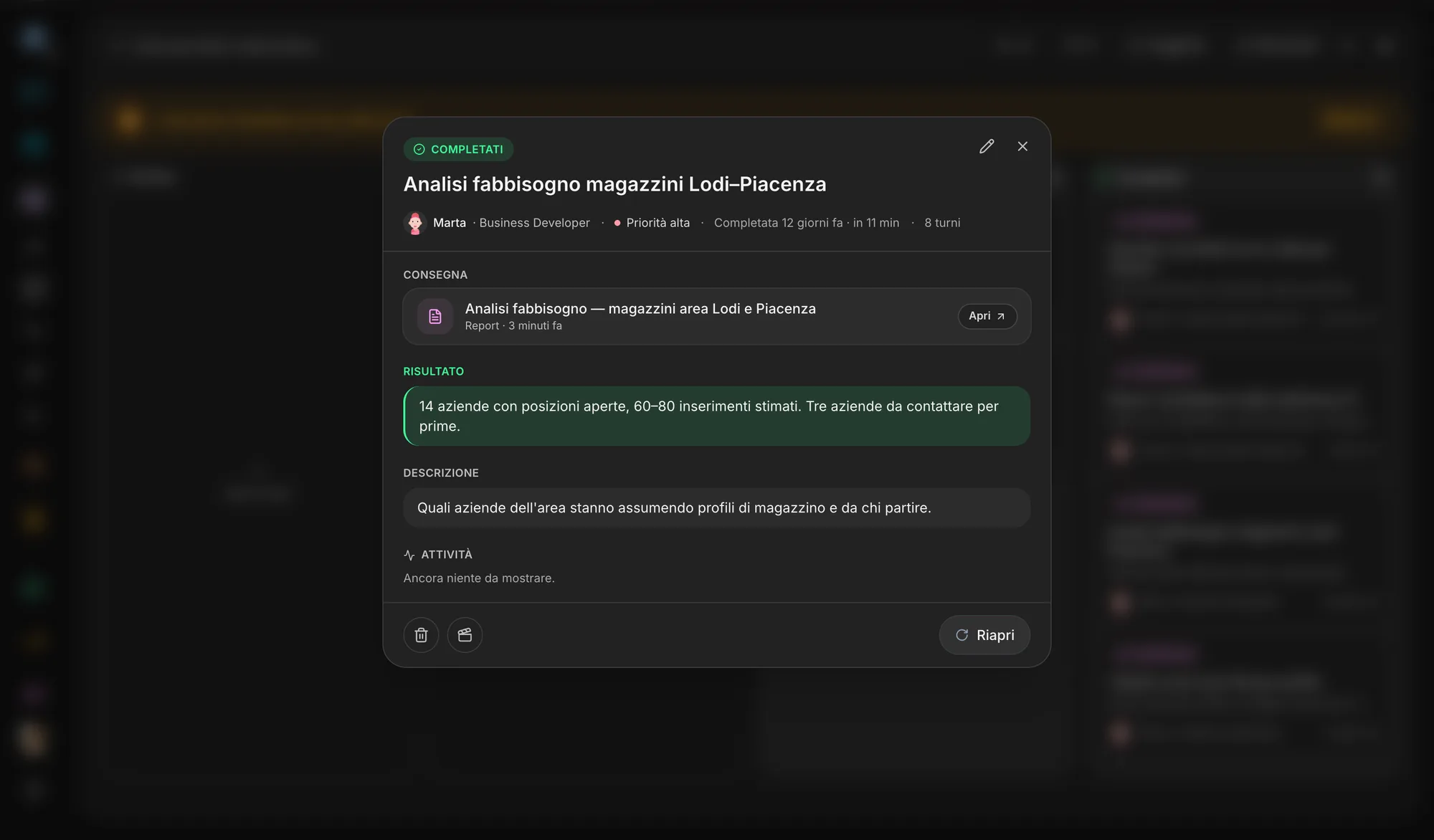
Every request becomes a task on the board: who has it, where it stands, what it has cost and what it delivered. When it is done, the deliverable is the first thing you see.
An agent splits the work and asks teammates with the right role for help, within depth and breadth limits that stop runaway sub-tasks. Dependencies between tasks show on a graph.
When an agent needs your go-ahead it stops and says why. From the Approvals queue you approve, reject or edit the task before it resumes.
Schedule the Monday report once. Flows lay the steps out on a canvas and start by hand, on a schedule, from a webhook or from a workspace event.
Facts, decisions and procedures go into a shared memory and come back the next time a task needs them. You can read it, correct it or make it forget.
After each task an agent notes what worked and what did not; the lessons build up into its own playbook, which shapes the tasks that follow.
Inside the app
Try it now
How it works
Veii suggests the roles that fit your company; you decide whom to hire, one at a time or all at once.
Switch on the skills each agent needs — research, prospecting, social, invoicing — and connect the tools it will use.
Write the request in chat or on the board. Tasks proposed at setup wait for your go-ahead: nothing starts on its own.
Read the deliverable, approve it or reopen the task. The result stays in Documents and in the team’s memory.
Ecosystem
An agent does not live in a chat window: it reads and writes in the same places as your team, under the same rules as people.
Switch it on or off in Settings → Apps. Switching it off hides and stops it, nothing is deleted: turn it back on and it is exactly as you left it.
Start freeQuestions
They work on the tasks you assign on their own, but they stop when a decision is yours and say why: from the Approvals queue you approve, reject or edit. Tasks proposed at setup only start after your go-ahead, and every task has a budget and a cap on its steps.
A chatbot answers a message. An agent takes on a task: it has a role, can bring in teammates, remembers the company’s decisions and delivers a result that stays in Documents.
The company’s shared memory: facts, decisions, procedures and traces of past work. It lives on the Memory page, where anyone who can edit the workspace can correct or delete an entry. Memories nobody recalls fade over time.
Yes: a recurring task runs on a cadence — every day, every Monday, the first of the month — and each run creates a fresh task. For multi-step sequences there are Flows, which can also start from a webhook or an event.
Today Agents is included in every Veii workspace. You switch it on and off in Settings → Apps: off, it leaves the navigation and the agents stop working for the company, but tasks, memory and documents stay where they are.
Create the workspace, choose the agents you need and assign the first task. You decide what starts, and when.